Design Studio by Saurabh · Remote, US & UK hours
Motion graphics services for products, brands and apps
Motion graphics services for startups in the US and UK: UI animation, Lottie and Rive micro-interactions, explainers and brand videos that make your product clear.
I offer motion graphics services for product teams, startups and brands who want things to move with a reason. That might be an onboarding animation that makes first use clearer, a set of micro-interactions for your app, an explainer that shows what your product does in 30 seconds, or a brand video for launch.
Motion is where I started. I studied animation at Sharda University and worked as a motion designer for years before moving into UX. So I don't treat animation as decoration added at the end. Good motion answers a question for the user: did that work, where did that go, what should I look at next? If an animation doesn't answer something, I'd usually cut it.
A showreel you control
UI animation that answers a question
Good motion answers a question for the user. Scroll to scrub the timeline and watch each move earn its place.
- 01
Did that work?
A button that presses, loads and confirms. Feedback motion tells people their tap landed, so they do not tap twice.
- 02
Where did that go?
The card you tapped grows into the detail screen. Continuity keeps people oriented without a single word.
- 03
What should I look at next?
One gentle pulse on the next step. Attention is a budget, and motion spends it on purpose.
- 04
When should it stay still?
With reduced motion switched on, the same flow cross-fades instead of moving. Calm is part of the craft.
Easing playground
Same distance, same duration, three different feelings
Timing and easing are tuned for how motion feels, not only how it looks. Press play, change the duration, then pull the spring.
Pull it. Let go.
This is a real spring: stiffness and damping, not a canned keyframe. Drag the circle and release, or focus it and press Enter.
What moves
What I animate
UI transitions and micro-interactions
for web and mobile: button feedback, toggles, loaders, success states, page and screen transitions
Lottie animations
for apps and websites: lightweight, scalable and easy for developers to drop in
Interactive Rive animations
that respond to taps, hovers and app state
Onboarding animations
that explain a product's value in the first few screens
Explainer videos
with 2D character animation for products and services
Product demo animations
that show features without a long screen recording
Brand and marketing videos
motion content and social creatives
3D motion
in Blender for hero visuals and launches
The process
How a project works
- 01
Brief and purpose
We agree on what the motion needs to do: explain, give feedback, guide attention or tell a story. We also agree where it will live (app, website, social), because that decides the format.
- 02
Script or interaction map
For videos, a short script and storyboard. For UI motion, a map of which states and transitions need animating, and what triggers each one.
- 03
Style frames
Key frames designed in Illustrator, Photoshop or Figma, so you approve the look before anything moves.
- 04
Animation
I animate in After Effects, Rive, Blender or Figma Smart Animate depending on the job, with timing and easing tuned for how it feels, not just how it looks.
- 05
Review and refine
One or two rounds of feedback on real devices, checking speed, file size and reduced motion settings.
- 06
Delivery and handoff
Final files in the right formats, with notes for developers on triggers, durations and looping.
Deliverables
What you get
| Deliverable | What it is | Format |
|---|---|---|
| Motion spec | Which elements animate, triggers, durations and easing | Figma or PDF |
| UI animations | Micro-interactions, loaders and transitions for your product | Lottie (JSON) or Rive (.riv) |
| Prototype transitions | Animated flows for reviews and stakeholder demos | Figma Smart Animate |
| Explainer or demo video | Scripted, animated video explaining your product | MP4 |
| Brand and social motion | Launch videos, motion content and creatives | MP4 or GIF |
| Source files | Editable project files so your team can update later | After Effects, Rive or Blender |
Why me
Why work with me
Formal animation training
A Bachelor's in Animation and VFX from Sharda University: storytelling, character design and compositing.
Real motion jobs
At Virohan I made onboarding animations, UI animations and marketing videos. At Algoworks I animated UI transitions and micro-interactions, worked on brand videos and motion content, and led a small creative team.
I'm also a UX designer
I design products at Ksolves now, so my motion fits the interface and the user's task instead of fighting it.
The full toolkit
After Effects, Rive, Lottie, Figma Smart Animate, Blender, Illustrator and Photoshop, chosen per job rather than forced.
Developer-ready output
I think about file size, frame rate and how the animation will be triggered in code, not just the export.
From my work
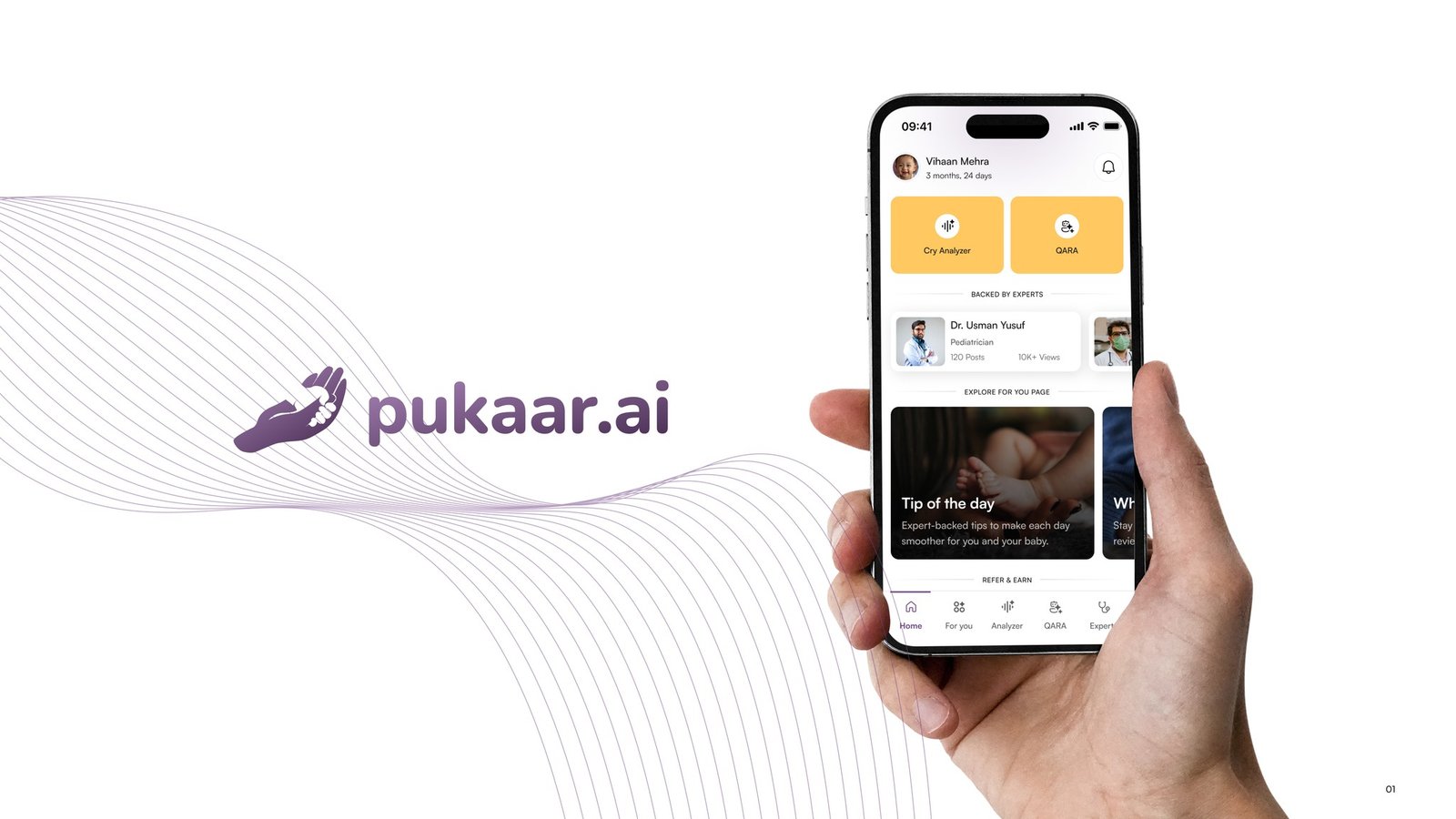
On Pukaar.ai, the app assumes it's 2 a.m. and the parent has one free hand. Motion there has to be calm and quick: clear feedback that a recording has started, no blocking modals, nothing that makes a stressed parent wait. One idea I'd push next is a live waveform that starts listening right away instead of a fixed 10-second wait. Read the Pukaar.ai case study.
If you're deciding on formats, my post on Lottie vs Rive vs CSS compares them honestly, and micro-interactions that actually help users shows how I decide what deserves to move.
Meet the people behind the work.
Different minds, shared curiosity. A small team making thoughtful products together, from first research to launch.
10 people, one team
Saurabh Yadav
Founder & Lead Designer

Sanju Vishwash
UI/UX & Motion Designer

Devwrat Pandey
UI/UX Designer

Shiney Jacob
UI/UX Designer

Vipin Meena
Product Designer

Pallavi Singh
UX Writer

Sanchita Halder
React Developer

Himanshu Gupta
Developer

Vaibhav Singh
QA Engineer

Chirag Arora
SEO | AEO Specialist
Design
- Saurabh YadavFounder & Lead Designer
- Sanju VishwashUI/UX & Motion Designer
- Devwrat PandeyUI/UX Designer
- Shiney JacobUI/UX Designer
- Vipin MeenaProduct Designer
Writing, engineering, QA & SEO
Do you work with clients in the US and UK?
Yes. We're a design studio based in India, and we work with clients across India and worldwide. Reviews happen over shared links and calls, so location rarely matters. Time zones are easy too: we overlap with Europe, the Middle East and US mornings.
How much do motion graphics services cost?
It depends on length, style and complexity. A set of five Lottie micro-interactions is a very different job from a 60-second character explainer with voiceover. Send me what you need and where it will be used, and I'll reply with an approach and an estimate.
Should I use Lottie or Rive for my app?
Lottie is great for playback animations like loaders, success states and illustrations. Rive is better when the animation needs to react to the user or the app state, like an interactive toggle or a character that responds. I'll recommend one based on what your developers can support.
Can you animate the UI designs we already have?
Yes. Send me your Figma files and I'll plan which transitions and micro-interactions will help, then animate them in After Effects, Rive or Smart Animate. I'll also flag anything in the static designs that will be awkward to animate.
Do you make product demo and explainer videos?
Yes. I script, storyboard and animate explainers and product demos, including 2D character animation and 3D motion in Blender. The goal is always the same: one clear message your audience remembers.
Related reading
All articles
UI animation best practices: a practical guide for designers
UI animation best practices in one practical guide: purpose, duration, easing, choreography, reduced motion, performance and handoff, with a checklist.
Read article
How to hire a motion designer for SaaS: a practical guide
How to hire a motion designer for SaaS: product vs marketing motion, what to look for, portfolio red flags, tools like Rive and Lottie, and a brief template.
Read article
Rive vs After Effects: Which to Use for Interactive UI Animation
Rive vs After Effects for UI animation: why Rive suits interactive, state-driven motion, where After Effects still wins, and how to pick the right one.
Read articleLet's make it move with purpose
If you want to hire a motion designer who understands both animation and product, tell me what you're making and where it will live. I'll suggest the simplest motion that does the job well. Just share your project details and I'll get back to you with ideas and an estimate.